CSV to JSON Converter Online — Free & Fast

Convert CSV to a JSON array of objects with automatic header detection, type inference for numbers, booleans, and null, and dot-notation nested keys — 100% in your browser.

What is a CSV to JSON converter?

A CSV to JSON converter turns comma-separated rows into a JSON array of objects, using the header row as object keys. The OpenFormatter version goes further — it auto-infers numbers, booleans, and null, respects quoted fields per RFC 4180, and uses dot-notation in headers to build nested objects.

CSV is the lowest common denominator of tabular data: every spreadsheet exports it, every database can dump it, and almost every analyst is comfortable editing it. JSON is the lingua franca of the modern web: REST APIs, JavaScript runtimes, MongoDB, and document stores all speak it natively. Converting CSV to JSON is the most common ETL step on the internet.
How to convert CSV to JSON online — 4 steps

  1. Paste your CSV. Copy from Excel, Google Sheets, or a .csv file. The first row must contain the column headers — those become the JSON keys.
  2. Click Convert. The parser tokenises each row (respecting quoted commas), then writes a JSON array with one object per data row.
  3. Verify types. Numbers like 42 and 3.14 become JSON numbers; true/false become booleans; null becomes JSON null. Everything else stays a string.
  4. Copy and ship. Click Copy and paste into Postman, a fetch request body, or directly into a .json file for import.

Sample CSV and JSON output

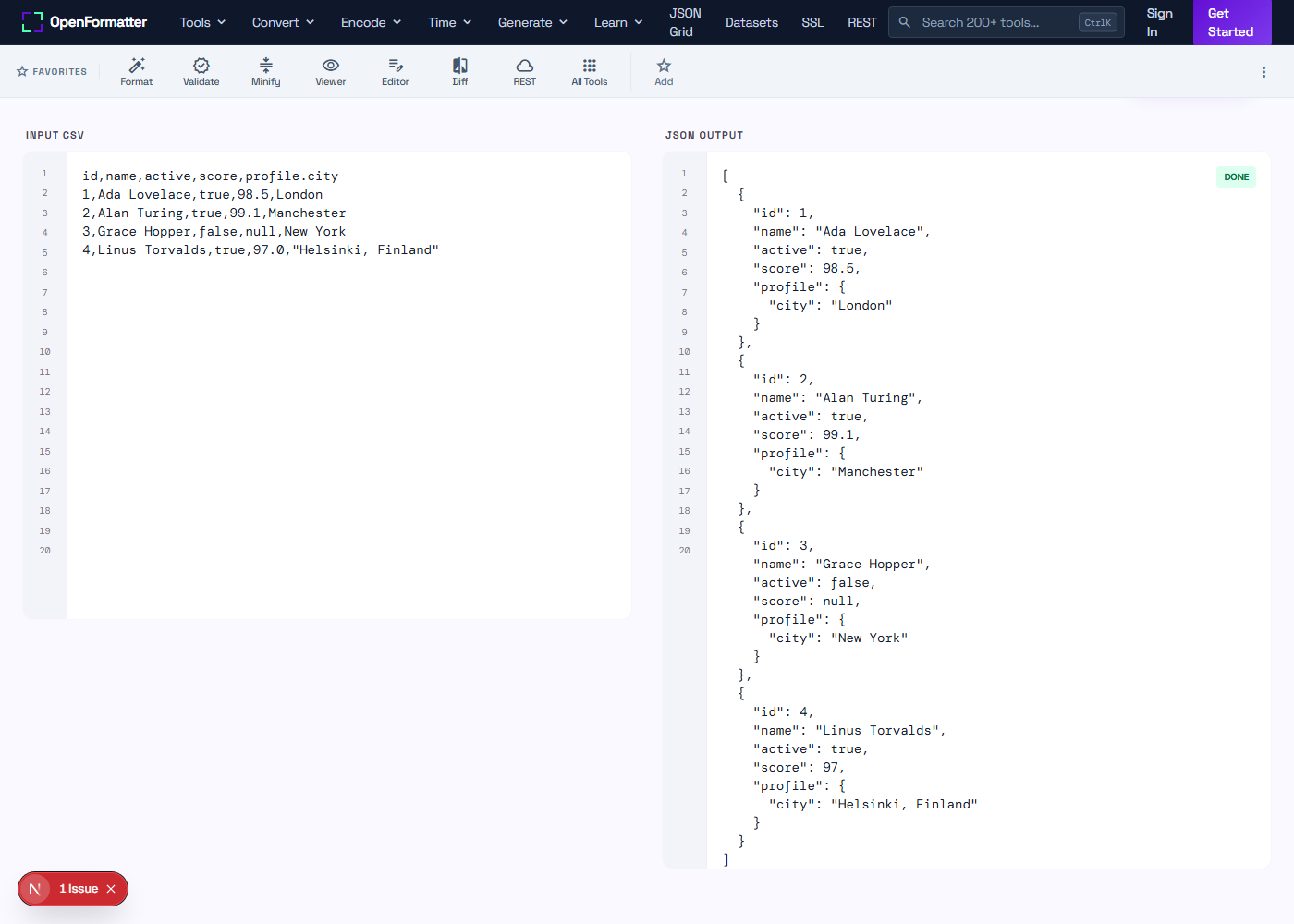
A simple CSV with a quoted comma, a boolean, a number, a null, and a dot-notation key for a nested object:

Input CSV

id,name,active,score,profile.city
1,Ada Lovelace,true,98.5,London
2,Alan Turing,true,99.1,Manchester
3,Grace Hopper,false,null,New York
4,Linus Torvalds,true,97.0,"Helsinki, Finland"

JSON Output

[
  { "id": 1, "name": "Ada Lovelace", "active": true,
    "score": 98.5, "profile": { "city": "London" } },
  { "id": 2, "name": "Alan Turing", "active": true,
    "score": 99.1, "profile": { "city": "Manchester" } },
  { "id": 3, "name": "Grace Hopper", "active": false,
    "score": null, "profile": { "city": "New York" } },
  { "id": 4, "name": "Linus Torvalds", "active": true,
    "score": 97, "profile": { "city": "Helsinki, Finland" } }
]

Header-Aware Parsing

The first row defines the JSON keys. Dot-notation headers like address.city are split into nested objects so flat CSVs map cleanly to nested DTOs.

Real Type Inference

Numbers, booleans, and null are emitted as native JSON values — not as quoted strings. APIs and JSON Schema validators receive correct types.

Browser-Only Conversion

CSV is parsed and converted in JavaScript on your machine. PII, customer lists, and financial exports never leave the browser.

Common use cases

  • check_circleMigrating spreadsheet exports to JSON for REST API ingestion
  • check_circleConverting CSV database dumps to JSON for MongoDB or Firestore import
  • check_circleTransforming Excel reports to JSON for JavaScript dashboards and charts
  • check_circlePreparing CSV product catalogues for headless commerce platforms
  • check_circleBuilding seed data files for Node.js, Express, or Next.js projects
  • check_circleConverting CRM contact exports to JSON for marketing automation tools
  • check_circleBulk-creating fixtures for Jest, Vitest, or Playwright tests
  • check_circleFeeding CSV survey results into a JSON-based analytics pipeline

CSV vs JSON — when to convert

CSV is compact and beats JSON on file size for purely tabular data — every byte not wasted on key names is a byte saved. But CSV cannot express types, nesting, arrays, or null; everything is a string and the consumer has to guess. JSON is verbose but unambiguous: a number is a number, a boolean is a boolean, and nested structures are first-class. Convert from CSV to JSON when the consuming system is an API, a JavaScript app, or a document database. Stay in CSV when the data is tabular and the consumer is a spreadsheet or a SQL bulk loader.

Need a different output format?

Turn the same CSV into XML, YAML, or a styled HTML table — all browser-side, all free.

Frequently Asked Questions

Does the tool detect a header row automatically?

Yes. The first non-empty line is treated as the header row, and each comma-separated value becomes a JSON object key. If your data does not have headers, add a header row before pasting — otherwise the first data row is consumed as keys and you lose a record.

How are types inferred — strings, numbers, booleans, null?

A value matching the integer or float regex is converted to a JSON number. The literal strings true and false become booleans. The literal null becomes JSON null. Everything else stays as a string. This matches the convention used by most JSON-emitting CSV libraries (e.g. PapaParse with dynamicTyping).

What about commas inside quoted fields like "Helsinki, Finland"?

The parser respects RFC 4180 — a comma inside double quotes is part of the value, not a separator. Quoted fields can also contain escaped quotes ("") which are converted back to a single quote in the JSON output.

Can I produce nested JSON objects from a flat CSV?

Yes. Use dot notation in the header — e.g. profile.city or address.street.line1 — and the converter walks the dots to create nested objects in the output. This is handy when the target API expects nested DTOs but your spreadsheet is flat.

What if my CSV uses semicolons or tabs instead of commas?

This converter expects commas. For semicolon CSVs (common in European Excel exports) or TSV files, do a find-and-replace on the delimiter first, or use the OpenFormatter CSV Formatter to normalise the delimiter before converting.

Is the output a JSON array or a JSON object?

A JSON array. Each CSV row becomes one object inside the array. This is the format almost every REST API, MongoDB import, and JavaScript client expects when ingesting tabular data.

Will my CSV data be uploaded to a server?

No. Parsing and conversion happen entirely in your browser using JavaScript. Customer lists, financial exports, and PII never leave your machine. You can confirm this in the Network tab of DevTools — there are zero network requests when you click Convert.

How do I handle a column whose values are themselves CSV (an array)?

CSV does not natively support nested arrays. The common workaround is to use a different in-cell delimiter — for example separating tags with a pipe inside one column ("ux|design|figma"). Convert to JSON first, then post-process the field by splitting on the pipe.

CSV to JSON Converter Online — Free & Fast