MessagePack Decode Online — MsgPack Bytes to JSON

Paste base64 or hex MessagePack bytes and inspect the decoded JSON, byte length, and parse time. 100% client-side — no upload, no account, no rate limits.

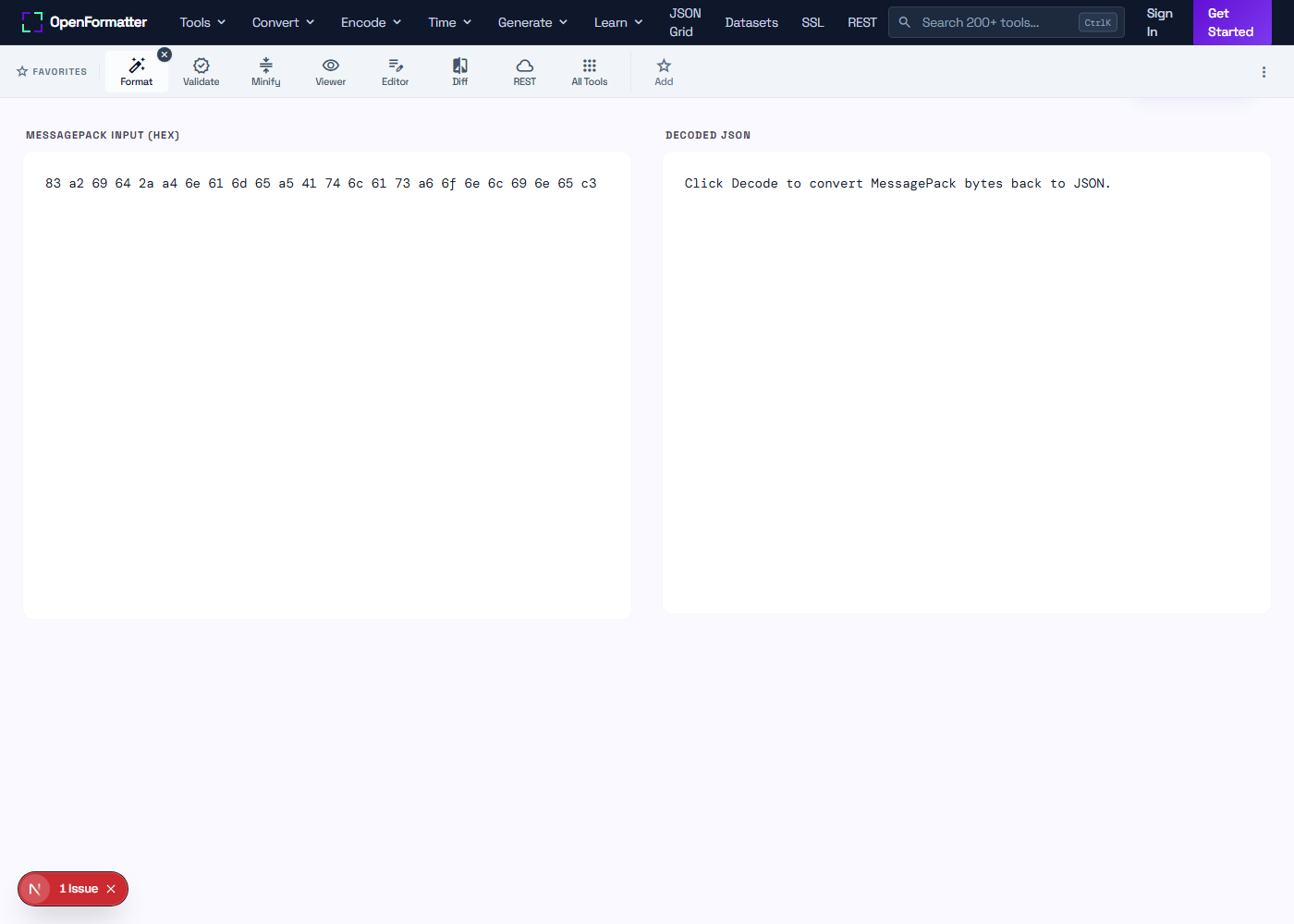
Click Decode to convert MessagePack bytes back to JSON.

Binary Serialization vs JSON

MessagePack is a JSON-equivalent binary format: the same null/bool/int/float/string/array/map shape, but encoded as type-tagged bytes instead of decimal text. Every MsgPack value can be losslessly converted to JSON for inspection, which is what this decoder does — it walks the byte stream, follows the type tags from the official spec, and emits an equivalent JSON tree you can read.

Decoding is a routine debugging task whenever you adopt MessagePack: a Redis key value, an MQTT message that came off a sensor, a cache entry written by a service in another language, or the response body of an internal API you don't fully trust. Pasting the bytes here gives you the JSON view in milliseconds, without spinning up a Node REPL or Python shell.

How to decode MessagePack online — 4 steps

  1. Paste the bytes. Drop the base64 or hex string of a MessagePack payload into the input panel above.
  2. Pick the input format. Hex tolerates spaces, 0x prefixes, and any letter case; base64 tolerates whitespace.
  3. Click Decode. The parser walks the type tags and emits the equivalent JSON. Errors include the byte offset.
  4. Inspect and copy. Review the byte length and parse time. Copy the JSON for further use.

Sample input and output

A 24-byte MessagePack payload in hex decodes back to the original three-key object.

# Hex input (24 bytes)
83 a2 69 64 2a a4 6e 61 6d 65 a5 41 74 6c 61 73
a6 6f 6e 6c 69 6e 65 c3

# Decoded JSON
{
  "id": 42,
  "name": "Atlas",
  "online": true
}

Type-Tagged Stream

Each value starts with a single byte that identifies its type and (sometimes) its length. The decoder walks the stream and emits JSON.

Fast Parse

Length-prefixed strings and arrays mean the parser never has to scan for delimiters or escape sequences. Megabyte payloads decode in milliseconds.

Browser-Only

The decoder runs in your tab. MsgPack payloads carrying customer IDs, session tokens, or telemetry never reach our servers.

Common use cases

  • check_circleInspecting Redis values stored in MessagePack format
  • check_circleDebugging MQTT payloads from IoT devices using MsgPack telemetry
  • check_circleVerifying that a cross-language service produced the bytes you expect
  • check_circleDecoding gRPC alternatives that wire-encode with MessagePack
  • check_circleReading cache entries written by Python msgpack, Ruby msgpack-ruby, or Go vmihailenco/msgpack
  • check_circleExamining blockchain transaction payloads encoded as MsgPack
  • check_circleInspecting time-series row encodings from InfluxDB or Prometheus remote-write
  • check_circleTesting MessagePack interop between an embedded C client and a JS server

JSON vs MessagePack vs CBOR vs Protobuf vs BSON

FormatSchemaSize vs JSONSelf-describingBest for
JSONNone100% (baseline)YesPublic APIs, configs, logs
MessagePackNone~50–80%YesIoT, caches, mobile APIs
CBOR (RFC 8949)None~50–80%YesCOSE/CWT, IETF protocols
ProtobufRequired (.proto)~20–50%NogRPC, internal microservices
BSONNone~110% (often larger)YesMongoDB storage

Round-trip your data

Re-encode the JSON to MessagePack, or compare against the CBOR pair.

Frequently Asked Questions

What input formats does the decoder accept?

Either base64 (standard or URL-safe with whitespace tolerated) or hex (lowercase, uppercase, with or without spaces, optionally prefixed with 0x). Toggle the format above the input panel. The bytes you supply must be a valid MessagePack-encoded value — typically what comes out of a msgpack.encode call in any language.

How are uint64 / int64 values shown?

JavaScript numbers cannot represent integers above 2^53 − 1 without precision loss. When the decoded value is in safe range it is shown as a normal JSON number. When it is outside, it is shown as a string tagged "(uint64) 9223372036854775807" or "(int64) -9000000000000000000" so you can see the exact value without silent rounding.

How are bin types (raw bytes) shown?

MessagePack distinguishes binary blobs (bin8/bin16/bin32) from UTF-8 strings. Because JSON has no native byte type, this decoder represents each binary value as an object {"__bin__": "<base64>"} so the bytes survive a JSON.stringify round-trip without corruption.

What does "Truncated MessagePack" mean?

The decoder reached the end of the byte buffer mid-value — typically because the input was clipped during copy/paste, or the wrong base64/hex toggle was used. Re-copy the full payload and confirm the format. The error message includes the byte offset where parsing failed.

What does "Unsupported MessagePack tag" mean?

You hit one of the formats this decoder does not implement — typically Ext types (0xd4–0xd8, 0xc7–0xc9) or Timestamp extensions. The JSON-equivalent subset (nil, bool, ints, floats, strings, arrays, maps, bin) is fully supported. If you need Ext, decode with @msgpack/msgpack in Node and post the JSON here.

Does the decoder handle multi-message streams?

It returns the first complete value and silently ignores trailing bytes. To split a stream into individual messages, use a streaming decoder like @msgpack/msgpack DecodeAsync or the Python msgpack.Unpacker iterator.

Are negative integers handled correctly?

Yes — both the negative fixint range (-32 to -1, single byte) and the explicit int8/int16/int32/int64 tags decode with proper sign extension. -1 round-trips as -1, not 4294967295.

Is the data uploaded?

No. Decoding runs entirely in JavaScript inside this tab. MessagePack payloads containing API keys, customer records, or proprietary schemas never reach our servers. Open DevTools → Network and click Decode to confirm zero outbound requests.
MessagePack Decode Online — Decode MsgPack Bytes to JSON